Watch video here: https://www.youtube.com/watch?v=cWA6KGahJCs
What if you want to run a research study using an existing VR application, simulation, game, website, or desktop program - but you don’t have access to its source code?
That’s where the SightLab External Data Recorder comes in.
The External Data Recorder extends SightLab’s eye tracking, physiological recording synchronization, and behavioral data collection capabilities to applications running outside of SightLab. Researchers can collect synchronized data while participants use existing Unity and Unreal applications, SteamVR and OpenXR experiences, desktop applications, web-based content, Meta applications, and standalone headset experiences through casting.
Rather than rebuilding an application as a dedicated research experiment, researchers can use the experience they already have and add a synchronized layer of behavioral and physiological measurement around it.
With a supported eye-tracking headset (or certain screen based eye trackers), the External Data Recorder captures gaze information throughout the session and processes it using SightLab’s eye tracking metrics.
This includes gaze position and eye rotation as well as fixations and saccades. SightLab can record fixation and saccade state and calculate measures such as fixation timing, saccade amplitude, saccade velocity, peak velocity, and related summary metrics. See this page for more details on some of the metrics SightLab can capture (depending on hardware).
This means researchers are not limited to watching a gaze cursor move across a recording. The resulting datasets can be used to investigate patterns of visual attention and eye movement throughout the experience.
Depending on the headset, additional eye-related measurements such as eye openness can also be captured. Supported physiological hardware can provide further measures such as heart rate and cognitive load when connected to integrated solutions such as Biopac.
For headsets without integrated eye tracking, the system can also use alternatives such as the center of the headset view, center of the desktop screen, or mouse position depending on the configuration.
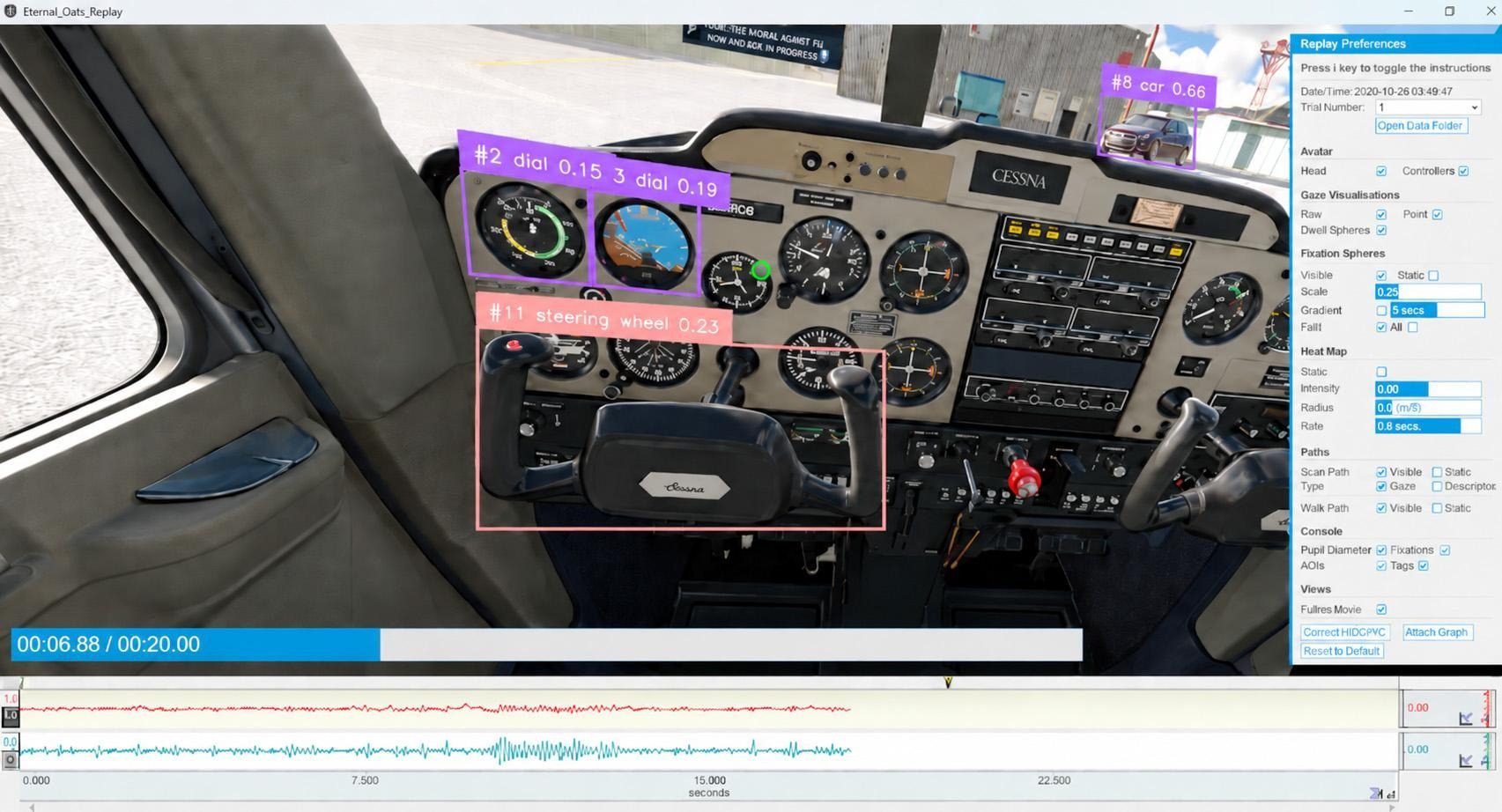
The External Data Recorder can also analyze the recorded experience after the session with AI object detection, using trained computer vision models.
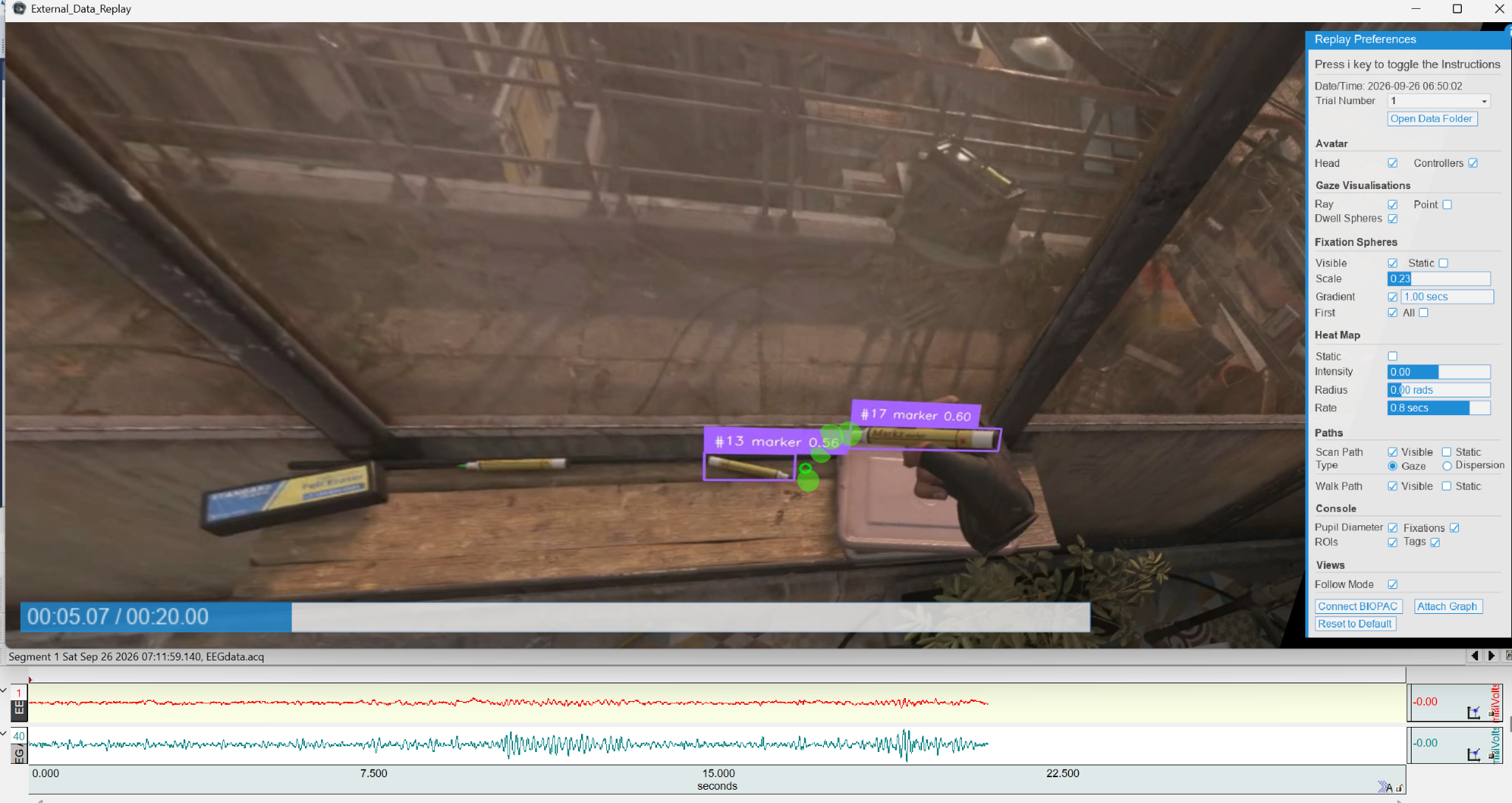
The recording is processed frame by frame to identify visible objects. Researchers can detect standard object classes (COCO) or use open-vocabulary detection to describe particular objects they want the system to find.
SightLab then matches the participant’s gaze against those detections to generate gaze-on-object measurements such as:
This creates a way to move from simply asking “Where was the participant looking?” to “What were they looking at, and for how long?”
Because object detection happens during postprocessing, recordings can also be reprocessed later with different detection settings without needing to rerun the participant session.
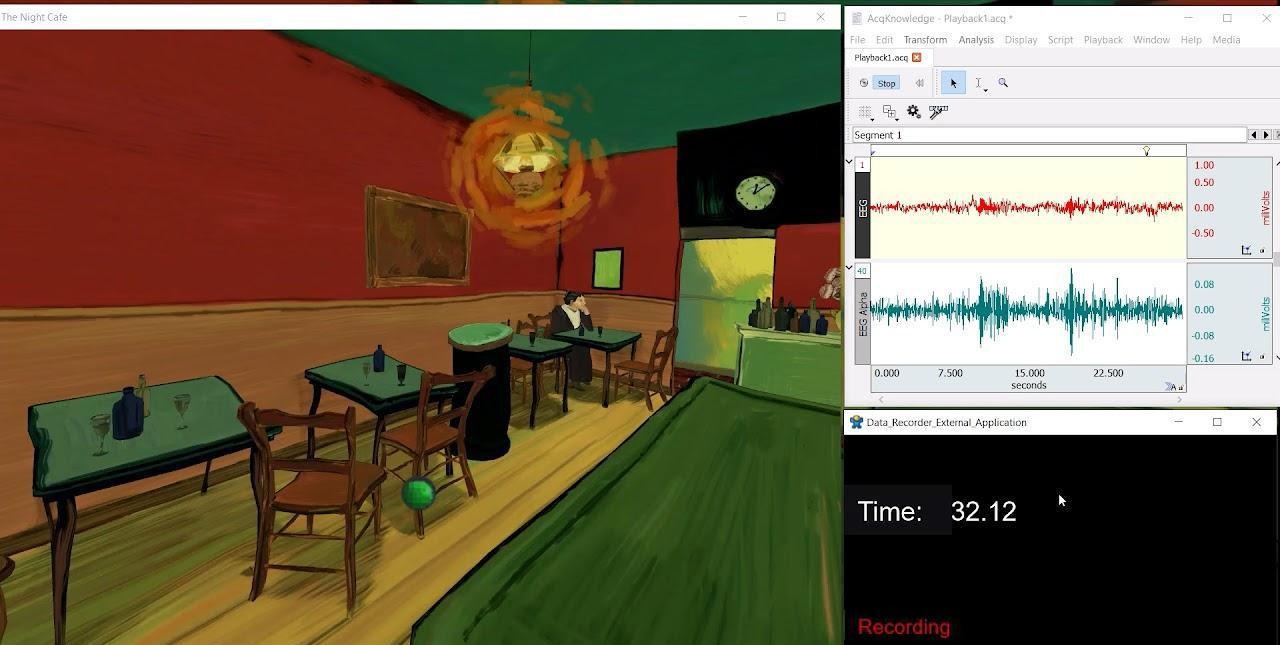
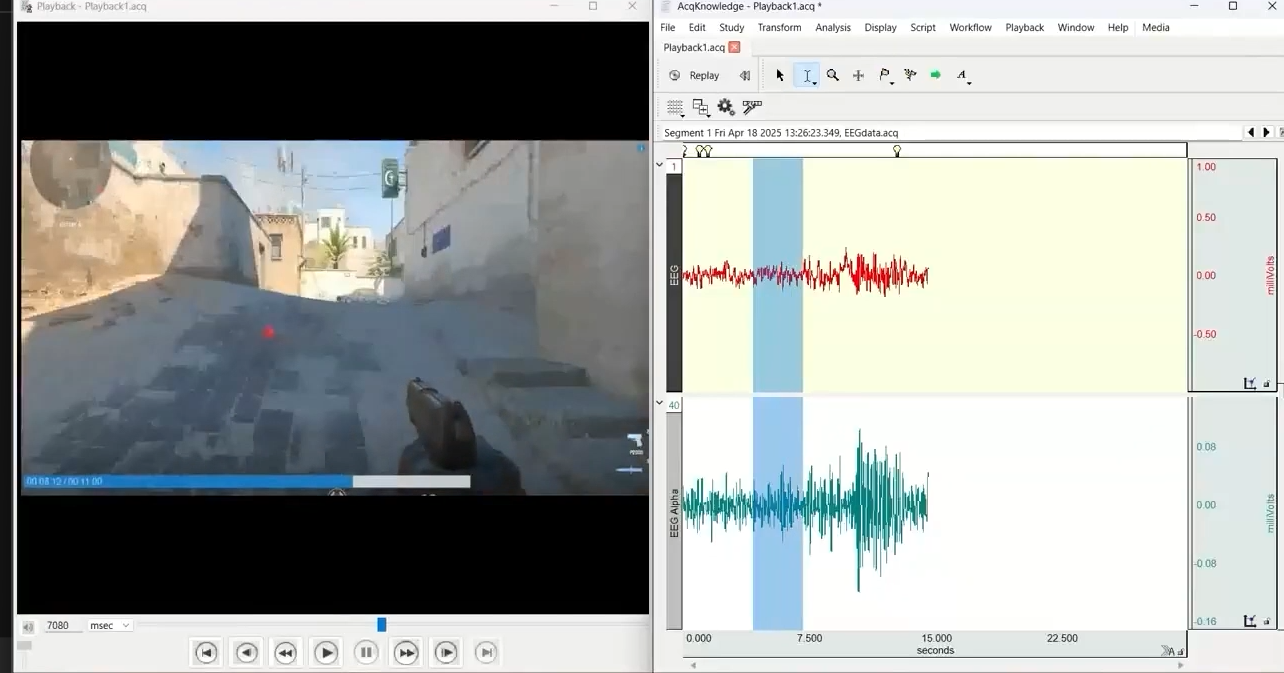
The External Data Recorder includes direct integration with Biopac AcqKnowledge, making it possible to synchronize the participant’s application experience with physiological data.
When Biopac integration is enabled, AcqKnowledge acquisition can begin at the same time as the External Data Recorder session and a video-start marker is inserted automatically. Additional synchronization or custom event markers can be sent during the session as well.
During replay, SightLab can keep the recording and AcqKnowledge synchronized, allowing researchers to examine physiological responses alongside exactly what was happening in the participant’s experience at that moment.
This makes it possible to combine measures such as gaze behavior with signals including heart rate, skin conductance, or other channels being collected through the Biopac system. This also can now include direct integration with certain fNIRs and EEG systems, such as the Medelopt or COBI systems.
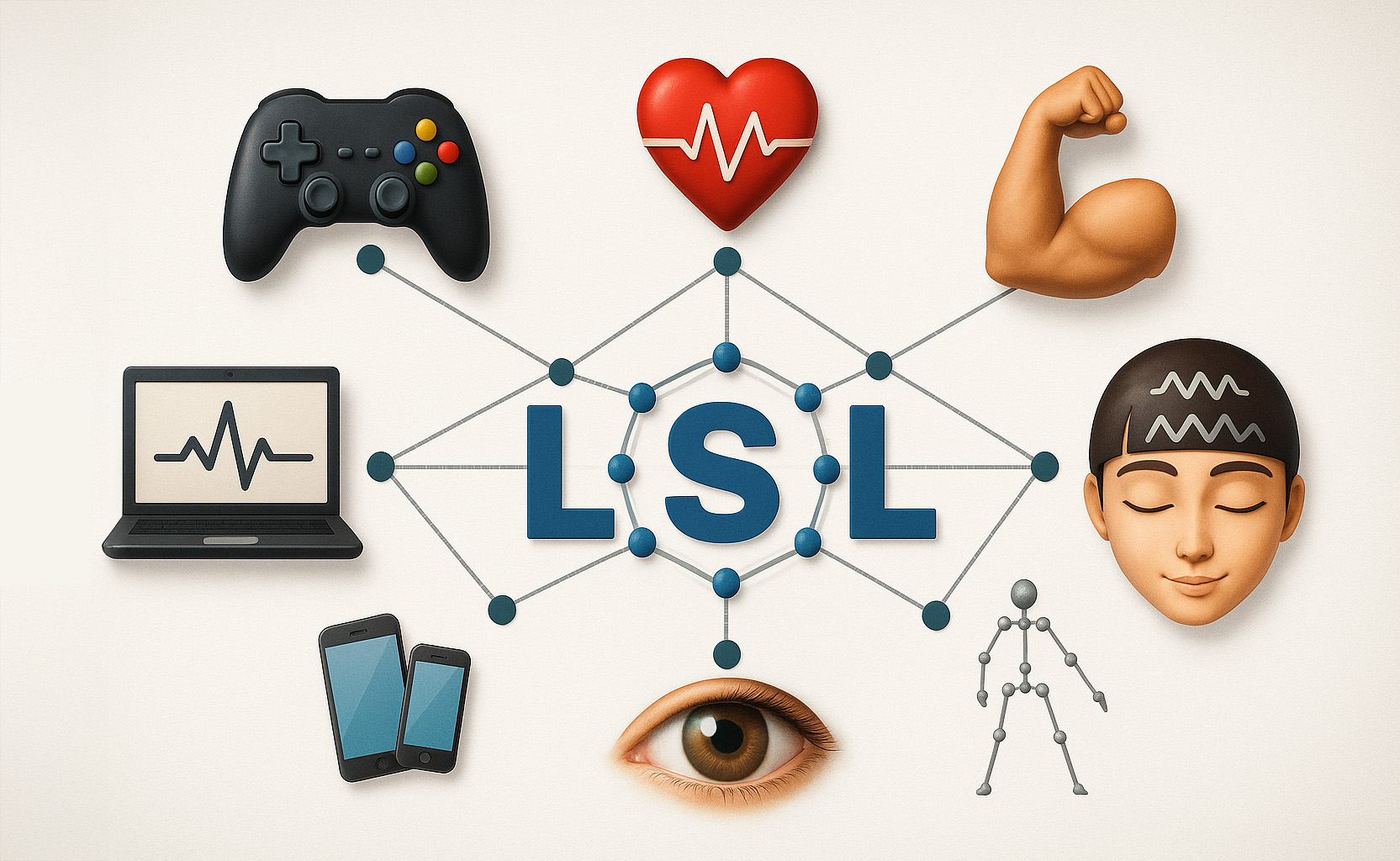
External Data Recorder can also connect to Lab Streaming Layer (LSL) streams, allowing data from other research hardware or software to be incorporated into the session.
When enabled, SightLab connects to an available LSL stream at the start of the trial and saves incoming samples together with their timestamps alongside the rest of the trial data.
This provides another option for bringing EEG, physiological sensors, motion tracking systems, custom hardware, or other LSL-compatible sources into the same research workflow.
External Data Recorder is not limited to passively observing another application.
Using network events, an external application can communicate directly with the recorder. For example, a Unity or Unreal application could tell SightLab when a trial should begin, send synchronization events when something important happens, or exchange other experimental information.
SightLab can also send triggers back to the external application.
The networking system supports event communication over UDP using JSON messages, providing a straightforward way to coordinate experimental events without needing to rebuild the application inside SightLab.
This is particularly useful when the application itself knows when meaningful events occur—for example:
Those events can then be synchronized with gaze, physiology, video, and other recorded data.
Researchers can also define custom flags and event markers during a session.
Key presses, button presses, network messages, or other experimental events can be written into the timeline and included alongside the continuous sensor data.
This makes it possible to create meaningful landmarks in the dataset without modifying the underlying eye tracking or recording workflow.
For example, a researcher could mark when a participant notices a hazard, completes a task, makes a decision, hears an instruction, or encounters a particular experimental condition.
With supported hardware, External Data Recorder can also capture face tracking and facial expression data.
For example, Meta Quest Pro facial tracking can be enabled so that expression values are recorded throughout the session and saved with the study data. SightLab also includes tools for visualizing facial-expression values over time after the experiment.
Combined with eye tracking and physiology, this gives researchers another way to examine how a participant responds during an externally developed experience.
The External Data Recorder can also incorporate traditional experimental data collection around the external experience.
Researchers can add:
These additional measurements can be stored alongside the session data, helping turn an existing application into a more complete experimental workflow.
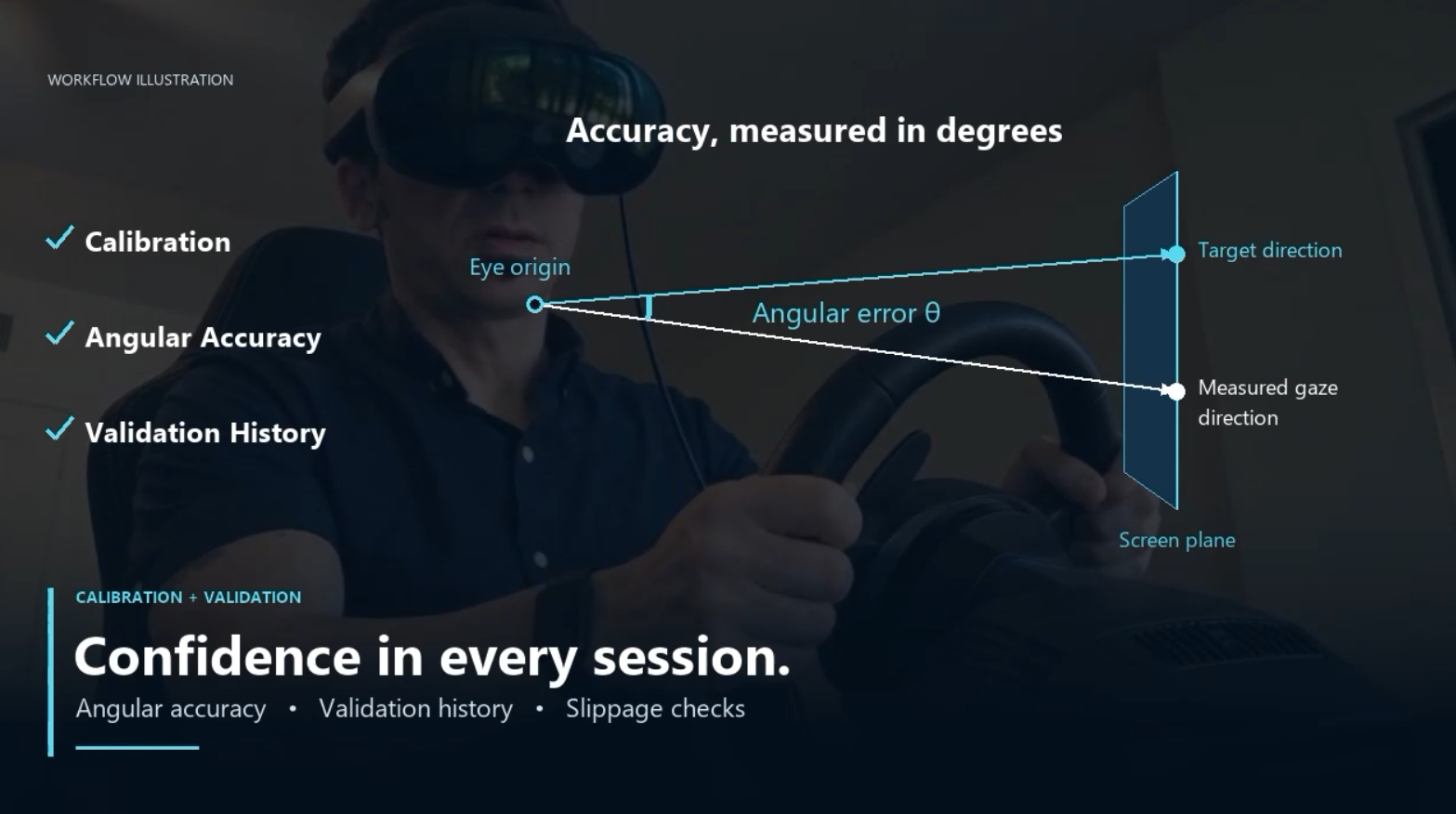
For eye-tracking studies, External Data Recorder includes its own calibration and validation workflow.
Participants follow calibration targets in the headset, and a separate validation stage then measures gaze accuracy in degrees of visual angle.
Researchers can see whether the accuracy meets their chosen threshold and recalibrate when necessary. The calibration and validation results are also saved, creating a record of gaze quality for each participant.
An optional validation at the end of the session can be used to evaluate whether accuracy changed during the experiment—for example, because the headset shifted on the participant’s head.
While the external application is running, it records the selected application or headset mirror window while SightLab simultaneously collects eye tracking, physiological signals, events, and other enabled data.
Because these sources share a synchronized timeline, researchers can later relate a physiological response, fixation, custom event, or network trigger to the exact moment it occurred in the participant’s experience.
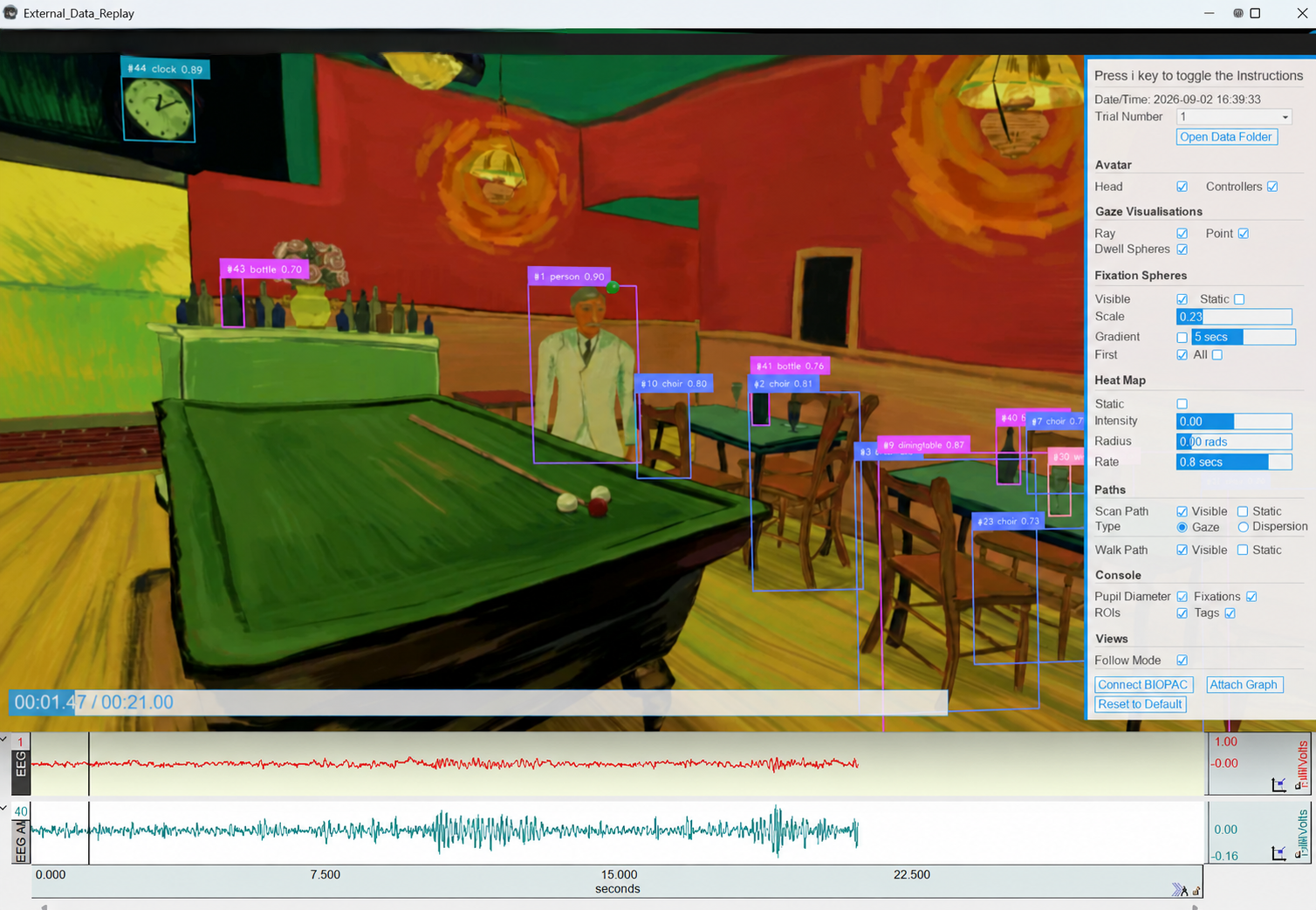
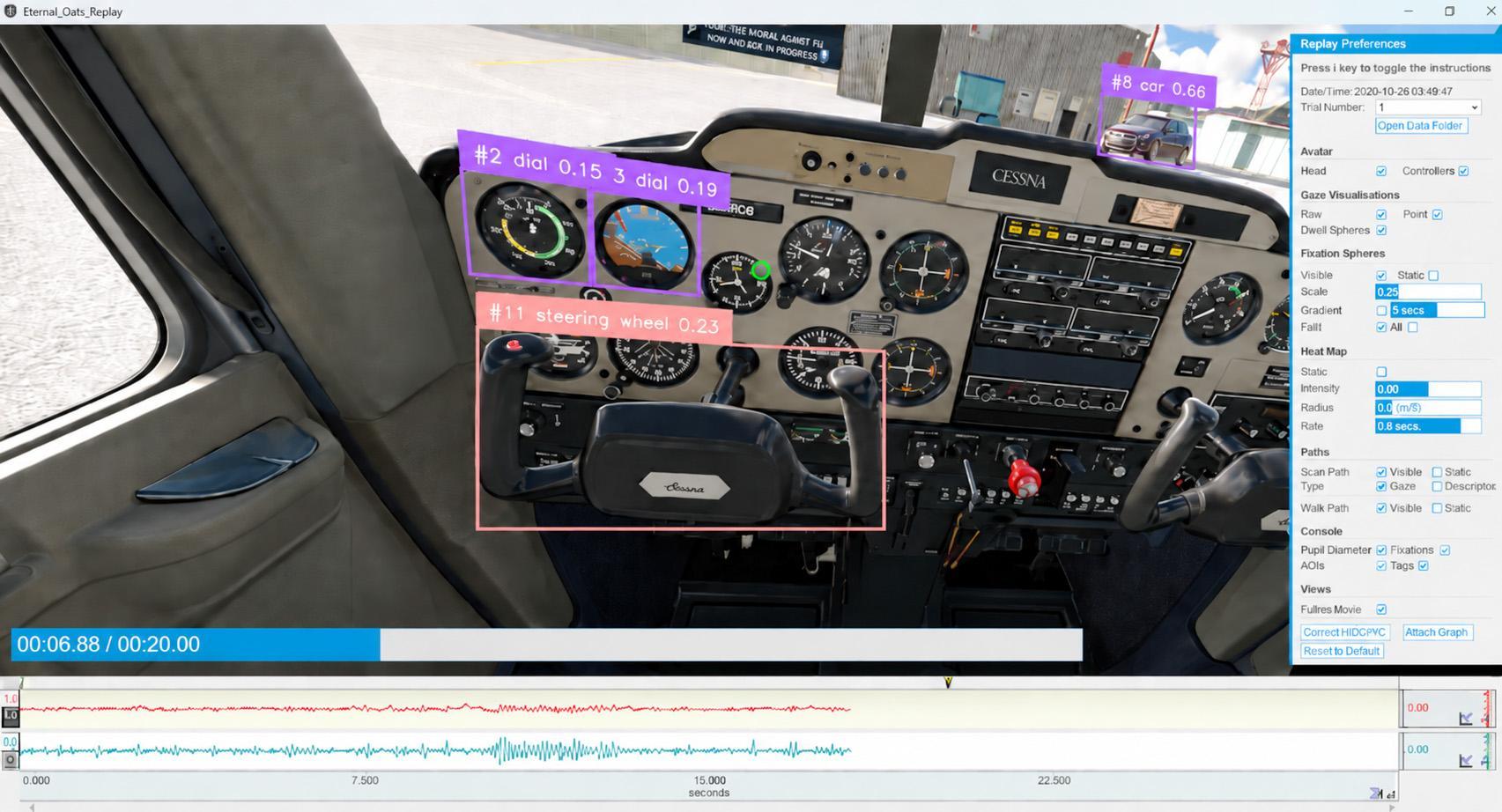
After the session, researchers can use SightLab’s replay tools to review what happened rather than relying only on rows of data.
Replay can display the recorded experience together with visualizations such as:
The accompanying CSV outputs can include gaze data, fixation and saccade measurements, events, custom markers, face-tracking data, AI-generated gaze-on-object metrics, and additional sensor measurements.
This allows researchers to move easily between quantitative analysis and a visual reconstruction of participant behavior.
The External Data Recorder is designed for studies where researchers want to use an application as it already exists.
You might be evaluating visual attention in a commercial VR experience, studying behavior inside a training simulator, measuring responses to a Unity or Unreal application supplied by another team, recording interaction with a website, or collecting physiological and gaze data while someone plays a desktop game.
In each case, External Data Recorder provides a way to surround that experience with SightLab’s research tools.
Record the application. Capture gaze, physiology, expressions, and events. Synchronize external devices. Identify what participants looked at. Then replay and analyze everything together.
That is the core idea behind the SightLab External Data Recorder.
To learn more about how you can power your scientific experiments with SightLab, contact us at sales@worldviz.com.