
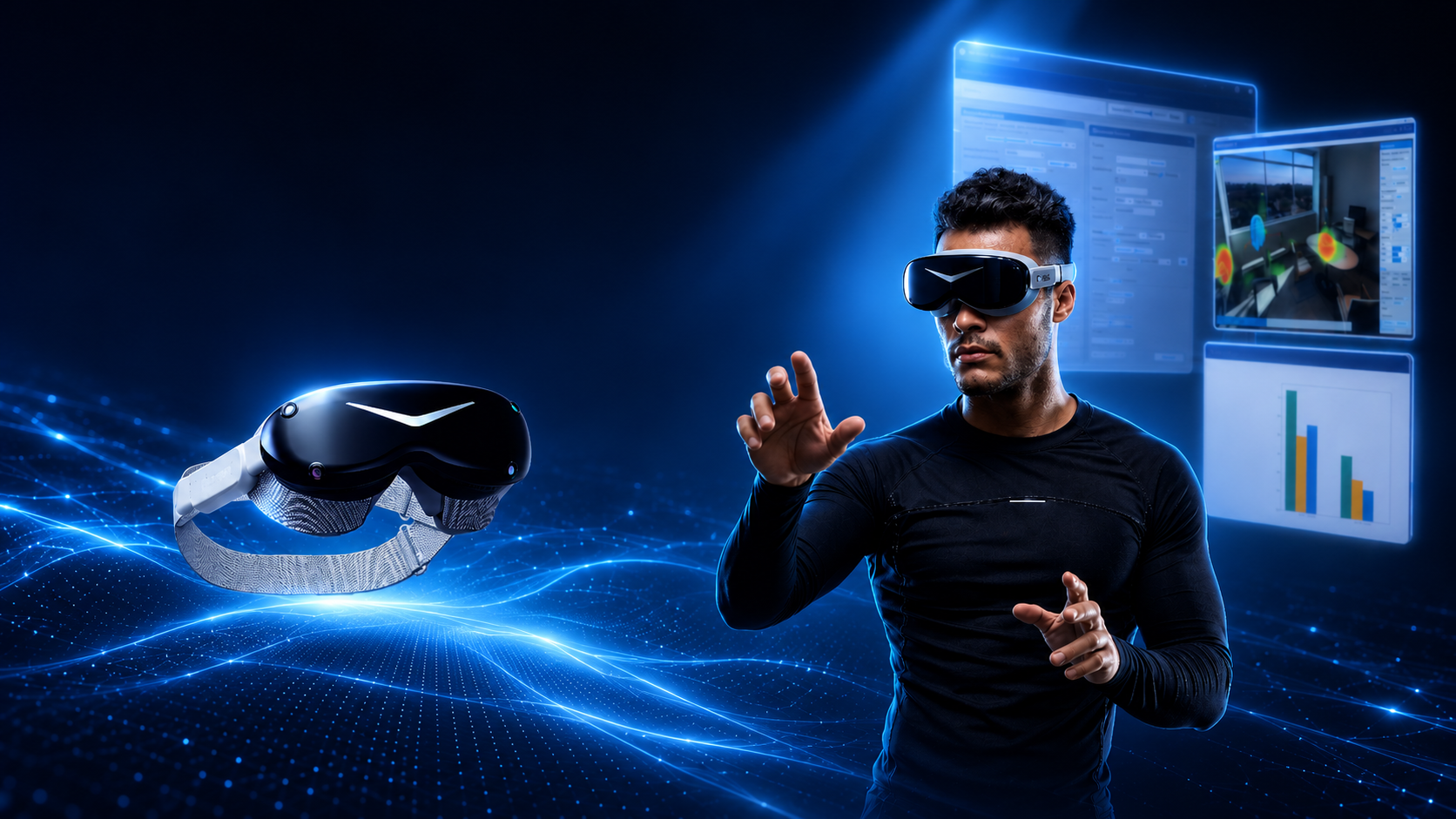

Pimax Dream Air and WorldViz SightLab offer a strong foundation for next-generation VR research. The Dream Air provides the visual clarity, comfort, eye tracking, and PCVR performance needed for high-quality immersive experiences, while SightLab provides the tools to design experiments, collect meaningful data, support multi-user studies, and analyze behavior after the session.
For researchers working in education, training, healthcare, design, psychology, human factors, social VR, simulation, or immersive media, this combination creates a flexible platform for studying how people see, learn, move, interact, and make decisions inside virtual environments.
Paired with WorldViz’s leading VR labs, the Pimax Dream Air can fit into a broader ecosystem of headset-based VR, Projection VR, VR classrooms, and research labs, allowing institutions to support both individual immersive experiences and shared group-based learning or research environments.
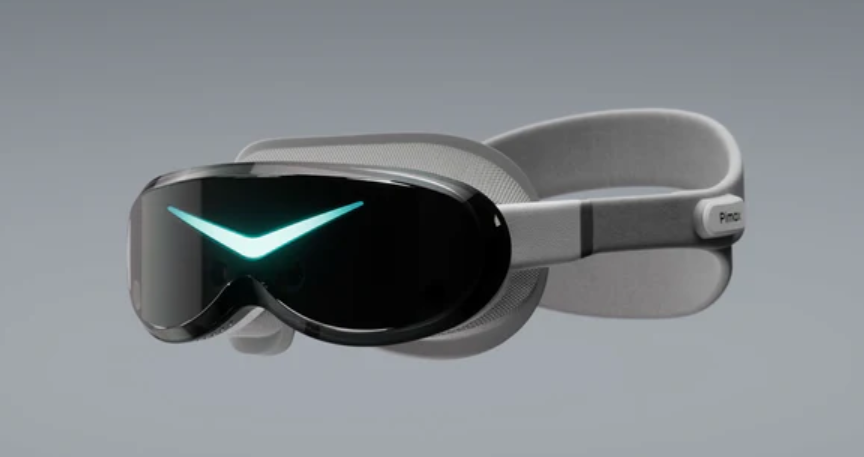
The Pimax Dream Air brings together several features that are especially valuable for advanced VR research: high-resolution Micro-OLED visuals, a compact lightweight design, DisplayPort-based PCVR performance, and built-in eye tracking. For researchers using WorldViz Vizard and SightLab, this creates a powerful combination: a visually rich and comfortable headset paired with software designed for building, running, measuring, and analyzing immersive VR studies.
The Dream Air’s 3840 × 3552 resolution per eye provides the clarity needed for research scenarios where visual detail matters. This can include reading text in VR, evaluating product designs, studying dashboards and interfaces, running visual search tasks, testing training simulations, or presenting realistic environments for architecture, education, healthcare, and human factors research. The Micro-OLED displays also support high contrast and strong visual fidelity, helping create immersive experiences where lighting, detail, and realism are part of the study design.
Comfort is another major advantage. At around 170 grams, the Dream Air is designed for extended use, which is important in research settings where participants may need to complete longer sessions, repeated trials, training tasks, or classroom-based VR lessons. A lighter headset can help reduce fatigue and make it easier for participants to stay focused on the task rather than the hardware.
Eye tracking is one of the most important features for researchers. Eye tracking gives researchers insight into what participants notice, what they ignore, how long they look at key objects, and how their attention changes over time. This makes the Dream Air well suited for studies involving visual attention, learning, training performance, user experience, decision-making, social interaction, and environmental design.
SightLab adds the experimental structure and analytics layer that turns a high-end VR headset into a complete research platform. With SightLab, researchers can design VR studies using a GUI, code, or a combination of both. They can create trials, set conditions, randomize experiences, add instructions, collect ratings, track objects of interest, measure interactions, and review participant behavior after a session.
For example, in a product research study, participants could view several virtual product designs while SightLab tracks where they look and how long they spend examining each feature. In a training simulation, researchers can measure whether participants notice hazards, warning signs, instruments, or task-relevant objects. In a classroom or social VR study, SightLab can help analyze how participants divide their attention between instructors, avatars, virtual screens, and learning materials.
SightLab also supports multi-user VR research, making it possible to study collaboration, communication, group learning, teamwork, instructor-led training, and shared decision-making. Multiple participants can enter the same virtual environment, interact with one another, and generate research data across a shared session.
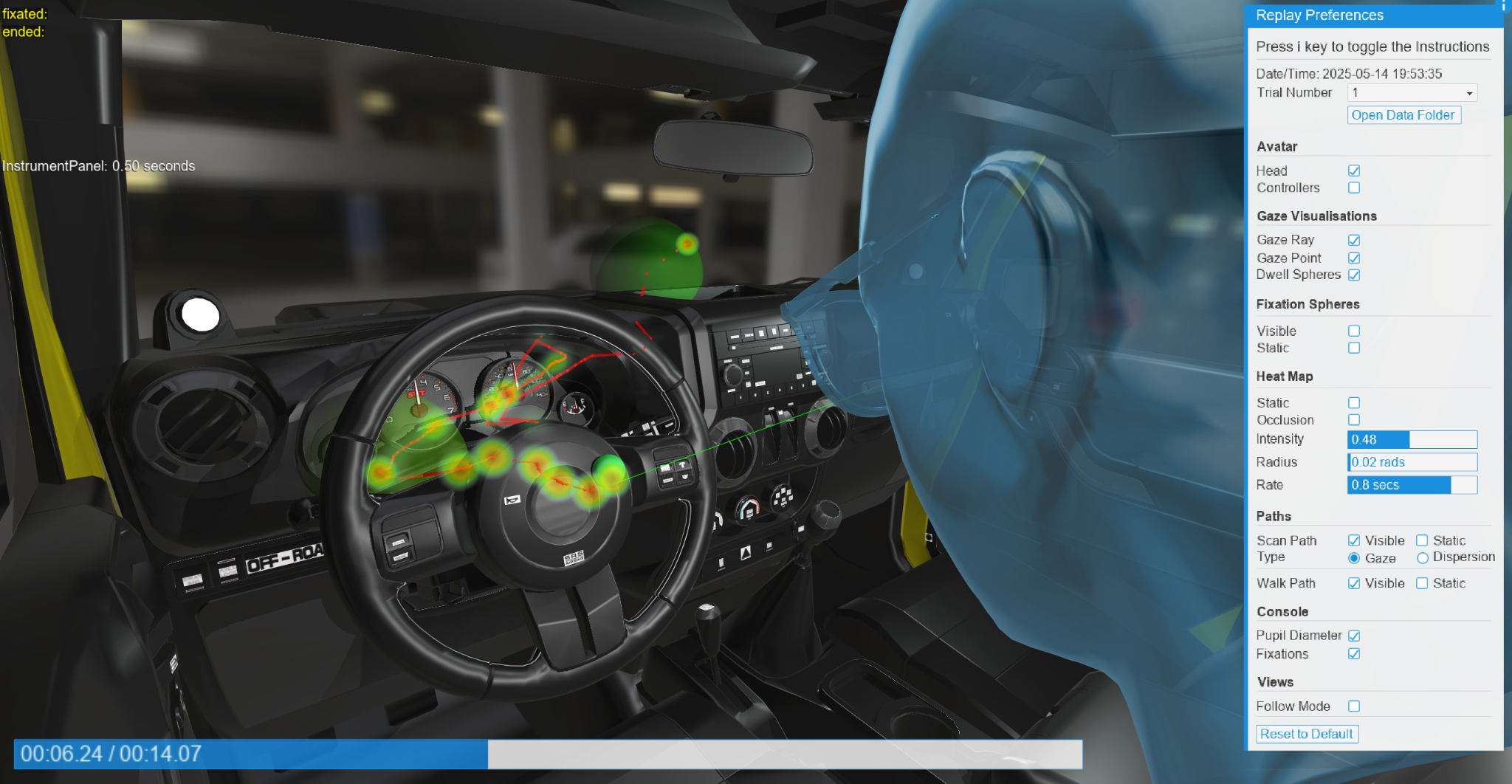
One of SightLab’s major strengths is that research does not end when the VR session ends. SightLab includes tools for reviewing and visualizing participant behavior, including gaze patterns, heatmaps, scan paths, dwell time, object interactions, movement paths, and replay data. This allows researchers to go beyond raw spreadsheets and actually see how participants moved through the environment, what they looked at, and how they interacted with the experience.
This is especially valuable when paired with a headset like the Dream Air, where high-resolution visuals and eye tracking can support detailed studies of visual attention and behavior. Researchers can use replay and analytics to better understand participant strategies, compare novice and expert performance, evaluate design changes, or generate visuals for presentations, reports, and publications.

SightLab also includes a large collection of Example Scripts and Templates that help researchers get started quickly and expand their studies without building everything from scratch. Examples include eye-tracking studies, gaze-based interactions, 360-degree media, moving regions of interest, virtual screens, rating scales, biofeedback, driving simulations, AI agents, data visualization, object grabbing, multi-user environments, and more. These examples can be used as starting points for custom experiments or adapted into more advanced research workflows.
This library of examples is especially useful for teams that want to prototype quickly. A researcher might begin with a gaze-tracking example, add a virtual screen for media presentation, include a rating scale after each trial, and then use replay tools to review the results. SightLab’s templates help shorten the path from concept to working VR study.
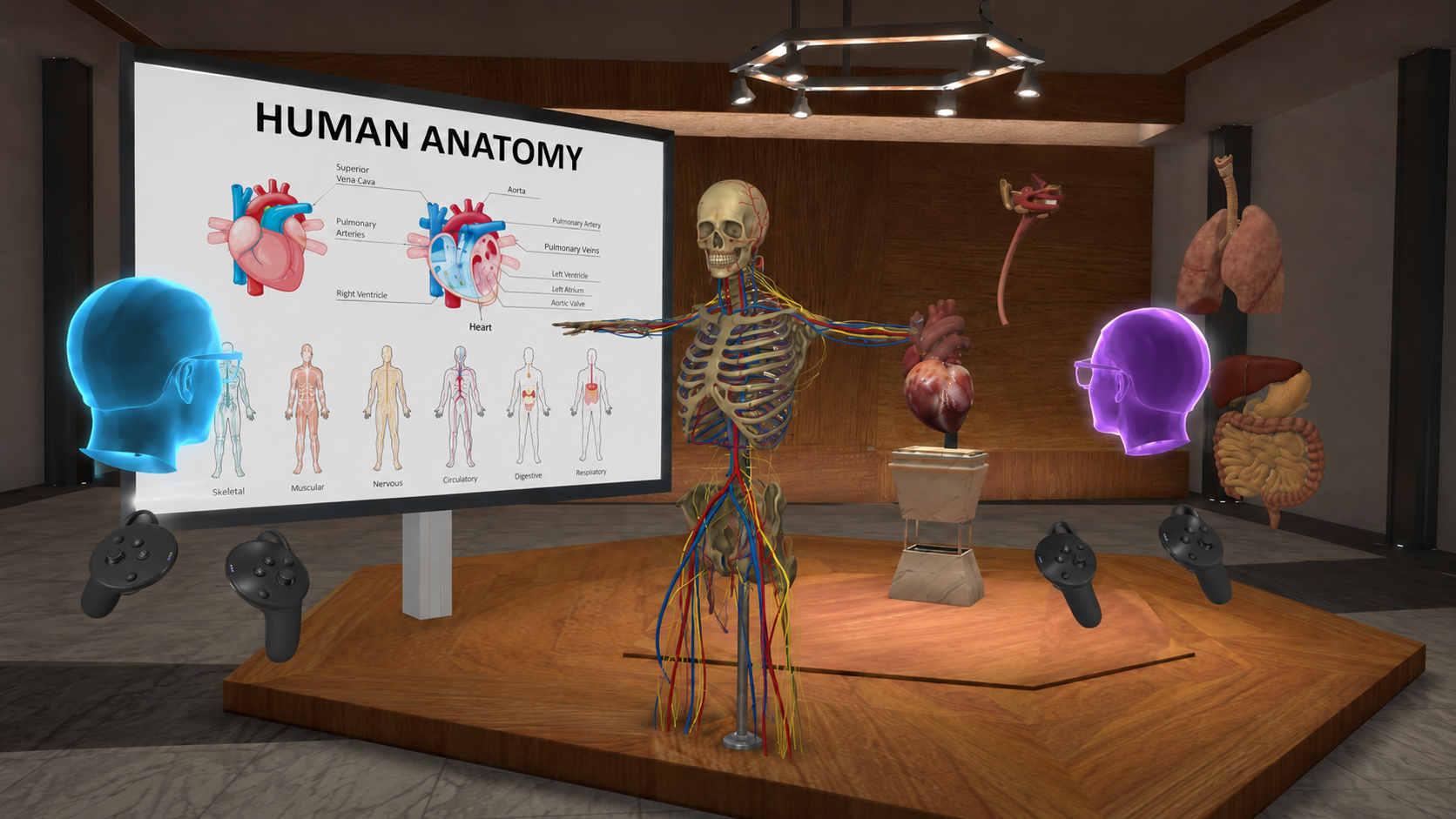
The E-Learning Lab provides a classroom-focused extension of this workflow, allowing the Pimax Dream Air to be used in immersive VR lessons, presentations, collaborative education scenarios, and multi-user labs built on the WorldViz ecosystem. Instructors can guide students through 3D environments, virtual screens, slides, simulations, and interactive activities, while AI Agents can serve as virtual tutors, guides, role-play characters, or intelligent assistants within the lesson. These headset-based experiences can also be used alongside Projection VR systems, where some participants are immersed in headsets while others view or participate through a large-scale projected environment. Combined with SightLab’s research tools, these setups can capture gaze behavior, object interactions, engagement patterns, replay, and multi-user analytics to study attention, collaboration, and learning outcomes in immersive education.
The Pimax Dream Air and SightLab can also be part of a larger WorldViz VR Lab ecosystem, where headset-based VR can run alongside Projection VR systems, VR classrooms, and multi-user research spaces. This gives universities, schools, and organizations the flexibility to support different types of immersive experiences within the same lab: individual headset-based studies, collaborative classroom lessons, group demonstrations, large-scale projection environments, and research sessions that combine multiple display formats. WorldViz builds research-grade VR/AR/MR labs for universities, schools, and businesses, including hardware, software, installation, onboarding, maintenance, and professional development. Learn more about WorldViz VR Labs here: https://www.worldviz.com/virtual-reality-labs
For more information on any of Worldviz’s products and how they can help with your VR Lab or Classroom contact sales@worldviz.com.
To request a demo of SightLab click here.
Visit the SightLab documentation here.


The Pimax Dream Air points toward a new class of research headset: small, high-resolution, PC-driven, eye-tracked, and designed for OpenXR/OpenVR workflows. For laboratories using WorldViz Vizard and SightLab, that combination is especially interesting because it brings together high-fidelity visual presentation, lightweight ergonomics, and gaze-based behavioral measurement in a form factor that may be easier to tolerate during longer studies than many traditional high-end PC VR headsets.
The Dream Air is a compact PCVR headset with Sony Micro-OLED displays, 3840 × 3552 pixels per eye, Pimax ConcaveView optics, roughly 110-degree horizontal field of view, a sub-170 g headset weight, DisplayPort connectivity, and DFR-ready eye tracking. The Dream Air headset family supports SLAM tracking or Lighthouse/Base Station tracking, which matters for research groups that either want portable inside-out tracking or already either have SteamVR tracking infrastructure in a lab or wish to do full body tracking with robust outside in cameras.
The headline advantage is visual density. At 3840 × 3552 pixels per eye, the Dream Air’s combined resolution is over 27 million pixels, which can be valuable for studies involving reading, signage, visual search, cockpit interfaces, product evaluation, training simulations, or small UI elements. Micro-OLED can also help with contrast-rich scenes, dark environments, night operations, high-end design visualization, and media studies where black levels and color response affect perception.
The second advantage is comfort. A headset listed at under 170 grams could reduce neck strain and fatigue compared with heavier enterprise headsets, which is relevant for long-duration studies, repeated-measures designs, and populations that may be sensitive to headset weight. Comfort is not just a usability feature in research; it can directly affect dropout rates, movement behavior, cybersickness, and participant compliance.
The third advantage is eye tracking. For researchers, eye tracking is not only a rendering optimization. It is a behavioral signal: what participants looked at, when they looked, how long they dwelled, whether they returned to an object, and how visual attention changed across conditions.
SightLab is built around the idea that VR experiments should be easily configurable, repeatable, and analyzable. In a SightLab workflow, researchers can create studies using the GUI, code, or a hybrid approach.
That is where the Dream Air becomes powerful. The headset supplies a high-resolution, eye-tracked visual experience; SightLab supplies the study structure. Researchers can define trials, conditions, start and end events, instructions, randomized scene layouts, rating prompts, tracked objects, regions of interest, and replay/analytics workflows.
With Dream Air eye tracking connected through a supported runtime and hardware configuration, SightLab can help turn gaze data into experiment-ready measures. SightLab documentation describes trial data outputs that can include timestamps, x/y/z gaze intersection coordinates, combined and individual-eye gaze intersections, eye Euler rotations, head position, fixation/saccade status, saccade amplitude and velocity, pupil diameter, eye openness when supported by the headset, view status, and custom flags.
That enables studies such as:
Visual attention and search. Researchers can measure time to first fixation, dwell time, view count, scan paths, and object-level attention during search tasks, hazard detection, medical simulations, retail shelf studies, or cockpit monitoring.
Training and assessment. Instructors can compare novice and expert gaze behavior: whether trainees notice the right objects, inspect them in the correct sequence, or miss critical cues.
Human factors and interface design. High-resolution displays make it more realistic to test dashboards, labels, menus, map overlays, and dense information panels. Eye tracking can show whether users actually see the information designers intend them to see.
Social and collaborative VR. In multi-user SightLab studies, researchers can examine where participants look during teamwork, presentations, instruction, negotiation, or collaborative problem solving. SightLab’s multi-user documentation describes server/client workflows, connected clients, client views, real-time fixations, and saved data files.
Media, 360 video, and immersive content evaluation. SightLab includes examples for 360 media, moving ROIs, 360 scenes with 3D models, gaze-based interactions, heat maps, external data recording, and AI-assisted analysis workflows.
Dynamic Foveated Rendering is important because the Dream Air’s high resolution is demanding. Pimax positions the headset as using eye tracking to render sharply where the user is looking while reducing peripheral rendering load. That can help labs run visually rich environments on modern gaming PCs, but it also introduces a methodological consideration: rendering settings should be documented as part of the experimental protocol.
For rigorous studies, researchers should record headset runtime settings, render resolution, refresh rate, foveated rendering mode, GPU, driver version, Pimax Play version, tracking mode, and SightLab/Vizard configuration. If one condition uses different rendering settings than another, visual clarity or latency could become a confound. The best practice is to lock these settings before data collection and keep them consistent across participants.
One of SightLab’s strengths is that the experiment does not end when the headset comes off. SightLab session replay can be used to review heatmaps, scan paths, dwell time, walk paths, user interactions, and other replay visualizations on desktop or in a headset. For Dream Air studies, this means researchers can run a participant through a high-resolution VR task, then replay the session to inspect visual behavior, debug unexpected results, or generate visualizations for presentations and reports.
This is especially useful in studies where raw CSV data alone is not enough. A scan path over a complex 3D environment can reveal whether the participant looked at the right target but approached it from the wrong angle, whether an ROI was poorly placed, or whether a scene object was visually obstructed. For multi-user experiments, replay can also help evaluate group behavior, instructor-participant timing, and differences across clients.
The E-Learning Lab provides a natural classroom-focused extension of this workflow, allowing the Pimax Dream Air to be used in immersive VR lessons, presentations, collaborative education scenarios, and multi-user labs built on the WorldViz ecosystem. Instructors can guide students through 3D environments, virtual screens, slides, simulations, and interactive activities, while AI Agents can serve as virtual tutors, guides, role-play characters, or intelligent assistants within the lesson. These headset-based experiences can also be used alongside Projection VR systems, where some participants are immersed in headsets while others view or participate through a large-scale projected environment, expanding the classroom experience beyond a single display mode. Combined with SightLab’s research tools, these setups can capture gaze behavior, object interactions, engagement patterns, replay, and multi-user analytics to study attention, collaboration, and learning outcomes in immersive education.
For WorldViz researchers, the main technical question will be how the Dream Air exposes tracking and eye-tracking data to the PC runtime. Pimax markets the headset for OpenXR/OpenVR applications through Pimax Play, and the headset uses DisplayPort for PCVR visuals. In practice, a lab should test the headset with the relevant Vizard/SightLab hardware configuration, confirm headset pose tracking, confirm controller or hand tracking behavior, and verify whether eye-tracking data is accessible in the needed runtime path.
For research-grade deployment, the lab should also run calibration checks, validate gaze intersection accuracy against known targets, test latency-sensitive events, and confirm that exported SightLab files include the expected gaze and eye metrics. If using Lighthouse tracking, the lab should check base-station coverage and occlusion. If using SLAM tracking, the lab should check tracking robustness across lighting conditions, reflective surfaces, and large open spaces.
The Pimax Dream Air is compelling because it targets three problems that often limit VR research: visual fidelity, headset comfort, and eye-tracking-enabled performance. SightLab complements that hardware by giving researchers tools to build structured studies, collect gaze and interaction data, run multi-user sessions, define trial logic, and replay sessions with visual analytics.
The result is a potentially strong platform for advanced VR research: high-resolution visual experiments, gaze-driven attention analysis, collaborative simulations, product and interface testing, training assessment, social VR studies, and immersive media evaluation. The key caveat is validation. Because Dream Air availability and final implementation details are still evolving, labs should treat initial integration as a pilot phase: confirm runtime support, eye-tracker access, calibration quality, data logging, replay behavior, and performance stability before running formal participant sessions.