
Anchored by a touch-interactive immersive wall and 25 HTC VIVE Focus Vision headsets, the WorldViz VR classroom at GCC’s new STEAMworks Innovation Center gives every program one connected space to learn the skills employers are asking for.
Client: Glendale Community College, Arizona
Use case: Multidisciplinary immersive teaching, workforce skills training, campus showcase and research
A Digital Media Arts student joins class from home and shares her screen. Seconds later, her Unity project fills the 32-foot wall at the front of Glendale Community College’s VR classroom, and she walks the class through her design choices while classmates in the room ask questions. Then the instructor opens another student’s Blender model, puts on an HTC VIVE Focus Vision and steps inside it. The wall shows what the headset sees, so the class experiences the design from within, at full scale. When it’s time for the next presentation, one button press brings all 24 student workstations onto the wall at once. The instructor walks to the front of the room, touches a tile, and the next project fills the room. In the room or at home, the whole class is looking at the same work.
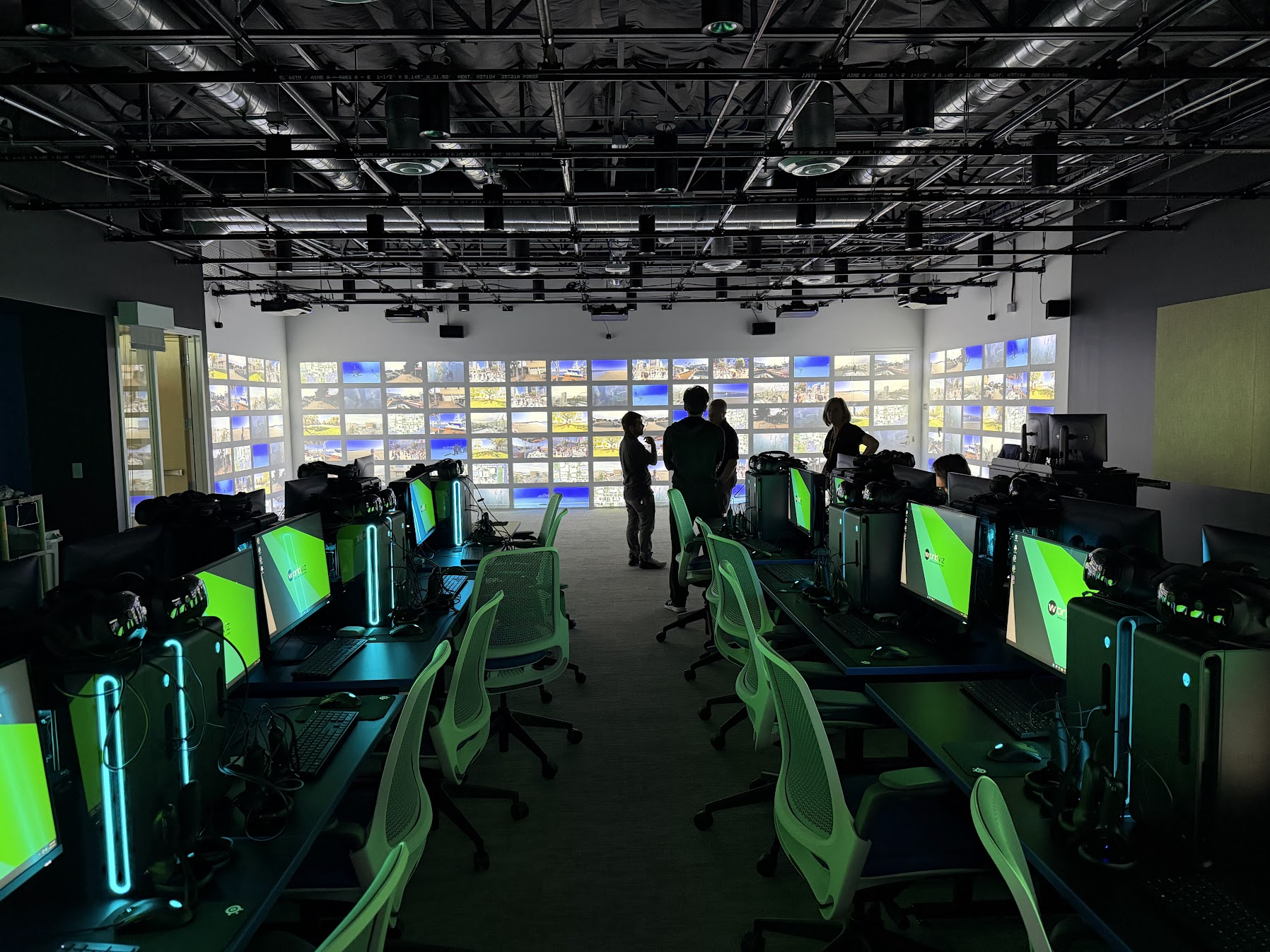
That moment is what Glendale Community College set out to build. The new WorldViz VR classroom at GCC’s STEAMworks Innovation Center is less a computer lab than an experience center: a room where headsets, workstations and a wraparound interactive wall work as a single system. A student’s work can move from a desk to a headset to the wall in seconds, and a lesson can shift from individual exploration to a shared experience without anyone leaving the room. Every station is equipped with an HTC VIVE Focus Vision, so any student can step into a virtual world and bring the whole class along. The room becomes whatever the lesson needs: a studio for critique, a stage for presentations, or a place the class explores together.
GCC opened STEAMworks this fall, funded largely through grants including a $5 million STEM grant. One half of the center is a makerspace with 3D printers, drones, CNC routers, laser cutters, mills, lathes and welding stations. The other half is the VR classroom. Programs are shaped with input from industry partners including Boeing, Intel, Honeywell, NASA and the Arizona Department of Homeland Security, and the center will host K–12 competitions, summer camps and community outreach across the West Valley.
Dr. Susan Campbell, GCC’s Dean of Career and Technical Education, began planning the classroom in 2019. Her question was practical: how do you give students the skills employers want, including skills for roles that have not been defined yet?
“Our goal is to give students opportunities to work with the same technologies they will use in the workplace. What makes this space exciting is the flexibility it offers across so many programs. Digital media students can build and explore 3D environments, computer science students can develop and program applications, and CTE programs can explore real-world scenarios through virtual reality. It gives our faculty new ways to bring hands-on learning into the classroom and prepare students for careers that continue to evolve with technology.”
Dr. Susan Campbell | Dean of Career and Technical Education, Glendale Community College
The room had to serve very different programs. Digital Media Arts students build games and interactive 3D work. Computer Science students need a capable computer lab, and GCC’s cybersecurity program is nationally designated as a Center of Academic Excellence in Cyber Defense. Career and technical education programs train machinists, first responders and healthcare professionals. One space had to work for all of them, for faculty at different levels of technical experience, and keep up as those programs change.
After years of planning, GCC brought WorldViz into the project in 2025. The college was looking for a flexible vendor that worked with any software and could deliver a multidisciplinary space able to grow with its programs. Casey Farina, D.M.A., Program Director of Digital Media Arts, helped to define the requirements of the space. He wanted a room where faculty could build their own curricula.
WorldViz designed the classroom to do two jobs:
WorldViz also coordinated with GCC’s facilities, IT and architecture teams to make sure the space was ready, from the projection surfaces and power to workstation connections and infrastructure, then installed and commissioned the system, trained faculty, and continues to support the room.
The immersive wall is the first thing visitors notice when they walk into the room, and it is also the room’s everyday teaching surface. Standing 8 feet high, spanning 32 feet across the front of the room and wrapping 14 feet along each side, it puts the class inside whatever is on screen rather than in front of it. Because the projectors sit just above the wall, an instructor or student can walk right up to it and present without casting a shadow over the work.
From one push-button panel or a touch on the wall, the instructor can turn it into a live gallery of student work, a window into VR or an immersive scene, often within the same class period. What would otherwise be 25 separate experiences becomes one the whole class shares.
Most VR labs ask instructors to choose between two kinds of class: students working alone in headsets, or everyone watching a screen at the front of the room. Because every headset and workstation at GCC connects to the wall, instructors can move between individual work, small-group exploration and whole-class discussion within the same period, and the room adapts to the lesson rather than the other way around.
A single class might begin with the instructor demonstrating a concept from inside VR while the room follows along on the wall and on every student workstation. Students then explore the same environment together as avatars, break off to build their own versions at their workstations, and finish by putting their work on the wall for critique. The sections below show how each of those moments works.
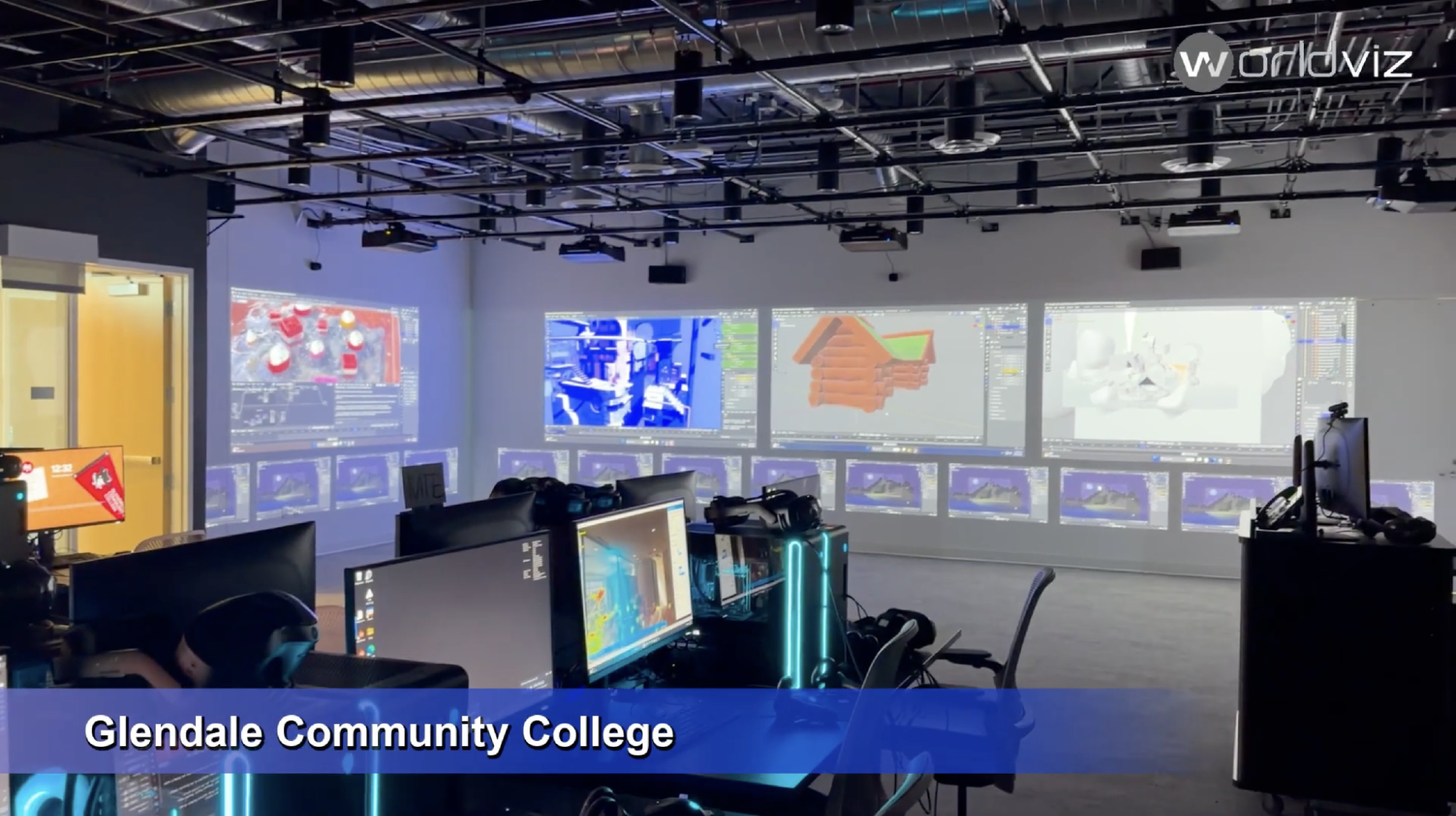
When the instructor puts on a headset, the whole room can see through their eyes. Their first-person view can go to the immersive wall, to two 92-inch displays, and directly to all 24 student workstations, temporarily taking over each desktop so no one is looking at anything else. Every surface in the room shows the same walkthrough, whether it’s a virtual dissection, a tour of a 3D model or step-by-step instructional content. Students see each step from the instructor’s point of view, up close at their own desk and at full scale on the wall.
After the demonstration, students can put on their own headsets and join the instructor in the same virtual space, each appearing to the others as an avatar. They can walk around a model, point out details and talk through what they see, while classmates without headsets follow along on the wall. GCC has already brought in an interactive environment designed for a Glendale graduation, along with student-created games from the past two years. For students who built those games, it’s the first chance to stand inside their own work with an audience and see how it holds up beyond a desktop window.
Back at their workstations, students build in the same professional tools they’ll use on the job, including Unity, Blender and CAD tools, and the work doesn’t stay on one screen. With one button press, all 24 workstations appear on the wall as a live gallery, with mouse movements visible and optional audio alongside each feed. The instructor can tap one student’s project to bring it to full size, talk through the approach, then bring up another beside it for comparison. One student’s question becomes a lesson for the whole group, and the work stays live on the workstation where it’s being made, so students can make changes while the class watches.
Students who join from home aren’t just left watching a video feed. They present their own Unity projects and Blender models on the wall, at the same scale as everyone else’s work, and explain their choices to classmates in the room, who can ask questions in real time. They can see their work come to life for the in-person audience over a livestream. The wall puts distance learners and in-person students in the same shared space, physically and digitally, so a hybrid class works as one group instead of two.
“When a student puts their project on the wall, it becomes something the whole class can explore and discuss together. We can compare designs, make changes while everyone watches, and even bring in work from students joining remotely. It turns an individual assignment into a shared learning experience.”
Casey Farina, D.M.A. | Program Director, Digital Media Arts, Glendale Community College
A live camera inside the simulation shows students in the virtual scene from over the shoulder or from above, like a dance studio mirror where the reflection is the virtual world. The instructor can move the camera anywhere in real time, so the class can watch a classmate work through a task at larger-than-life scale. Instructors can coach as it happens, and the rest of the room learns by watching.
The wall can also become the environment itself. With 360-degree video and interactive scenes wrapping around three sides of the room, a group can stand together in a clinical setting, an emergency scene or a job site, with no headsets and nothing between them and the discussion. Faculty can build these scenes with a drag-and-drop editor, with no coding required. This mode is planned for GCC’s healthcare and first-responder programs as they begin using the room.
Watch the WorldViz classroom walkthrough and the demonstration of student-created content and live sharing.
The same wall that supports a class makes the room one of the most striking spaces on campus. GCC already uses it for executive presentations, and immersive montage videos of the campus play across all three walls. An interactive campus map lets visitors touch a building and step into a 360-degree view of it, an immersive campus tour without leaving the room. That makes the classroom a natural place for hosting prospective students, community partners, industry visitors and distinguished guests, and for events that need more than a projector and a screen. Few classrooms can show visitors what a college does as directly as this one.
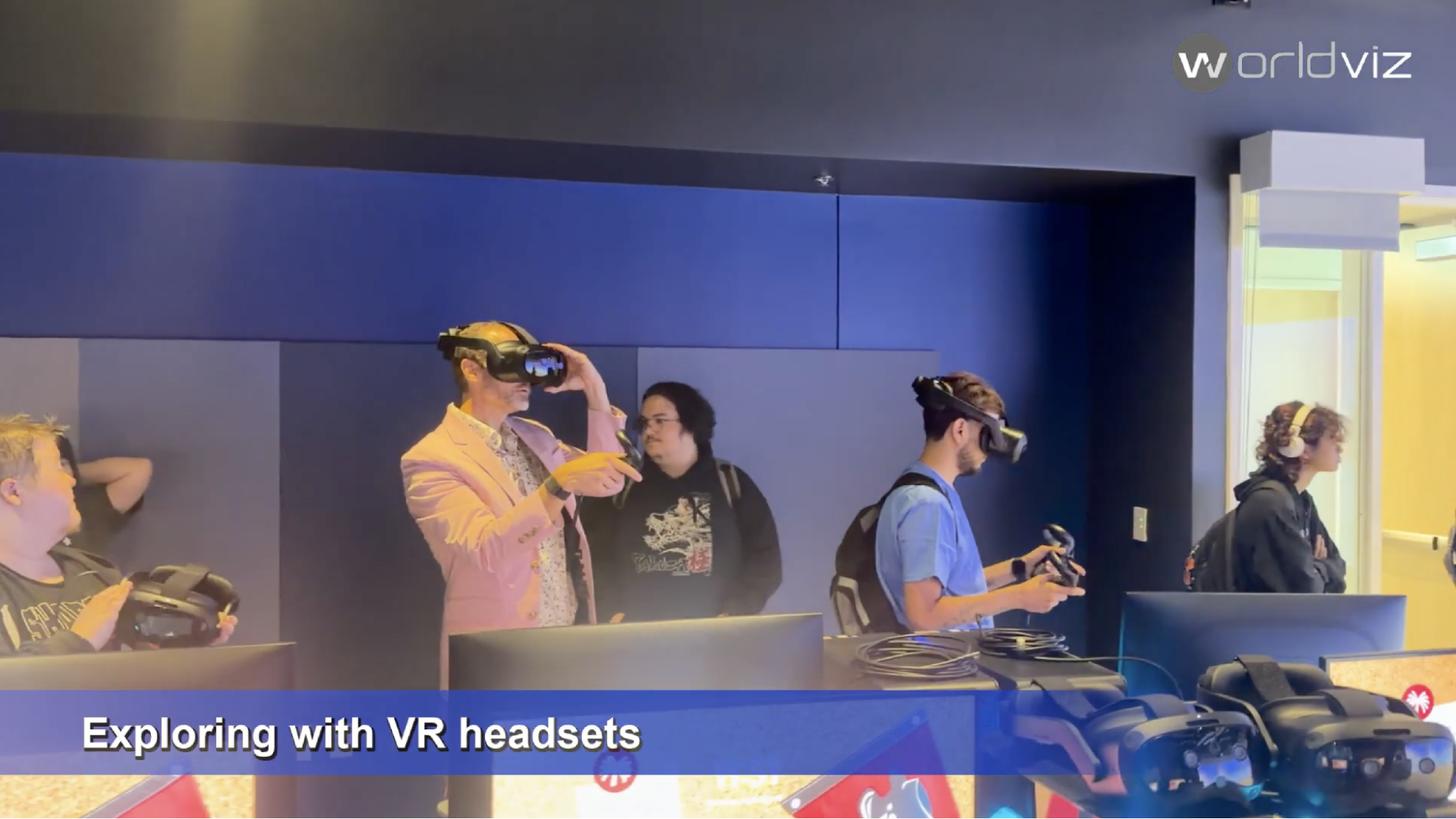
GCC equipped every station with the HTC VIVE Focus Vision because it can do several jobs in a room that serves many programs:
HTC builds the Focus Vision for business and education. For GCC, that means the headsets work directly with the PC applications students are learning for their careers, and campus IT can deploy and manage them as institutional equipment, without linking each headset to a personal account.
“What’s exciting about the Glendale classroom is how it brings students together, whether they’re in the room or joining remotely. With VIVE Focus Vision and WorldViz’s integrated classroom technology, students can explore immersive content, share their work, and participate in the same class discussion from wherever they are. It’s a great example of how XR can make teaching more interactive, collaborative, and accessible.”
Dan McDowell | NAM Director of Sales, HTC VIVE
GCC didn’t want a room locked to one vendor’s content, because no one can predict which tools tomorrow’s jobs will require. The college owns and controls every machine in the room, with nothing locked down, so faculty and students can install the software their field already uses: Unity and Unreal for game and simulation development, Revit and CAD tools for design and construction, Blender for 3D modeling, or commercial VR curriculum from other providers. Anything that runs on a workstation can go on the wall.
WorldViz software adds tools for every skill level. Faculty with no programming background can use E-Learning Lab, part of WorldViz SightLab, to build multi-user VR lessons by drag and drop: bring in a 3D model or a 360-degree video, add interactions and quizzes, and run the session with the whole class. Computer science students who want to go further can use Vizard, WorldViz’s Python-based VR platform, to build custom applications from scratch.
AI is built into that workflow. Students can talk with AI characters inside a virtual scene, such as a tutor, a patient or a job interviewer, and AI-assisted coding helps them build more ambitious projects faster. Hands-on experience with these workflows is part of the curriculum, not an add-on.
The tools in GCC’s classroom come from a long line of scientific work. WorldViz was founded in 2002 out of a psychology research lab at the University of California, Santa Barbara, and its software has been built for researchers from the start. Today it is used by more than 2,000 customers across academia and industry, including labs at Stanford University and the Max Planck Institutes, and the WorldViz Partners in Science reports have highlighted more than 730 published studies since 2015.
That same research toolset is built into GCC’s room. WorldViz SightLab, the platform behind E-Learning Lab, records what happens in a VR session in detail: where each participant looks and for how long, how they move, and how they interact with the scene. Because every HTC VIVE Focus Vision has built-in eye tracking, that data is available on every station. SightLab can also synchronize physiological signals such as heart rate from lab equipment, replay a full session afterward with each participant’s gaze shown in the scene, and start studies from a library of ready-made experiment templates.
For a community college, that opens doors usually reserved for universities. Faculty can measure how students engage with new teaching methods, students can take part in undergraduate research, and the college can pursue grants that call for measurable outcomes, all in the same room where classes meet every day.
Digital Media Arts and Computer Science are the first to use the room, and programs across GCC will start using it in the coming months. As more departments come online, the same room will host immersive lessons across disciplines, from AI tutors in virtual classrooms to hands-on scenario training, and the K–12 outreach planned for STEAMworks will bring younger students in as well.
“Glendale didn’t ask us for a room built around one program. They wanted a space that could evolve with what students learn and the careers they prepare for. That’s where WorldViz brings something unique: we combine our own VR software with the applications faculty already use, bringing everything together through HTC VIVE Focus Vision headsets, immersive projection, and interactive teaching tools. Students can create in different applications, explore their work in VR, and share it with the whole class. And as technologies and teaching needs evolve, the classroom can evolve with them.”
Peter Schlueer | President, WorldViz
For educators and academic teams planning a similar facility, start with the work it needs to support. Define how students will use it, how instructors will guide a session, and what content the team will create. The WorldViz Academic VR Lab Guide Series turns those decisions into a practical sequence:
To learn more about planning a VR classroom or academic lab, contact us at sales@worldviz.com.